
New
Shared lists
Split a trip, a home, or day-to-day life. Everyone adds expenses to one list and it syncs to every phone instantly.
Wallia works silently in the background, turning every transaction into a clear, calm picture of your money.
Why Wallia
Most finance apps shout. Wallia listens. Every coffee, every paycheck, every subscription, distilled into one quiet ledger you can actually read.
01 · Overview
Pay with Apple Pay and the entry logs itself: no typing, no friction. Income, spending and net flow distilled into one calm card.
Apple Pay automation02 · Activity
Snap a screenshot of your bank app and AI files the rest. Day by day, grouped and searchable the moment you think of it.
AI photo import03 · Budgets
Give every category its own allowance. Wallia paces you through the month and quietly handles the recurring stuff.
Categorized budgets04 · Shared lists
Open a list for your home, a trip, or your partner. Everyone you invite adds expenses alongside you, and every entry shows up on their phones instantly.
Synced in real time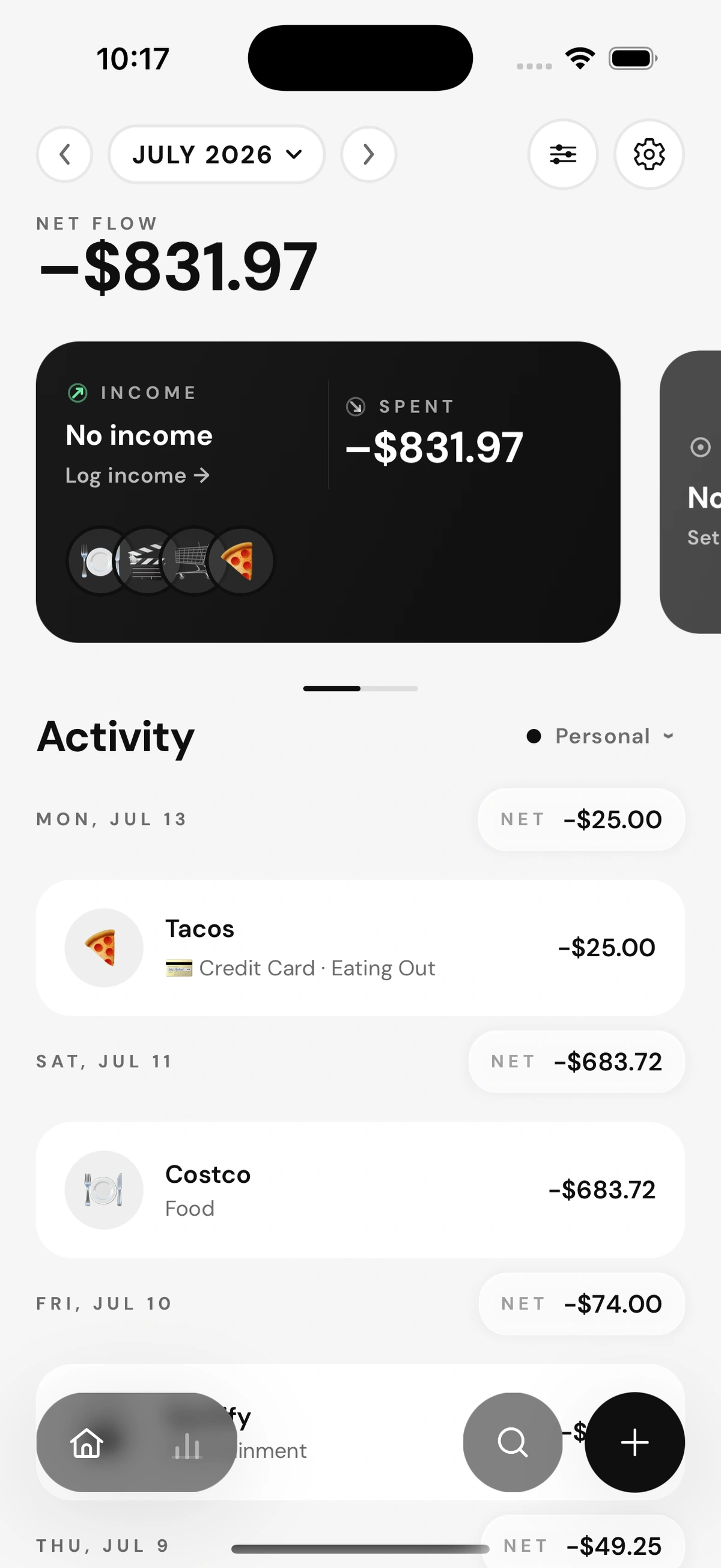
01 · Overview
Pay with Apple Pay and the entry logs itself: no typing, no friction. Income, spending and net flow distilled into one calm card.
Apple Pay automation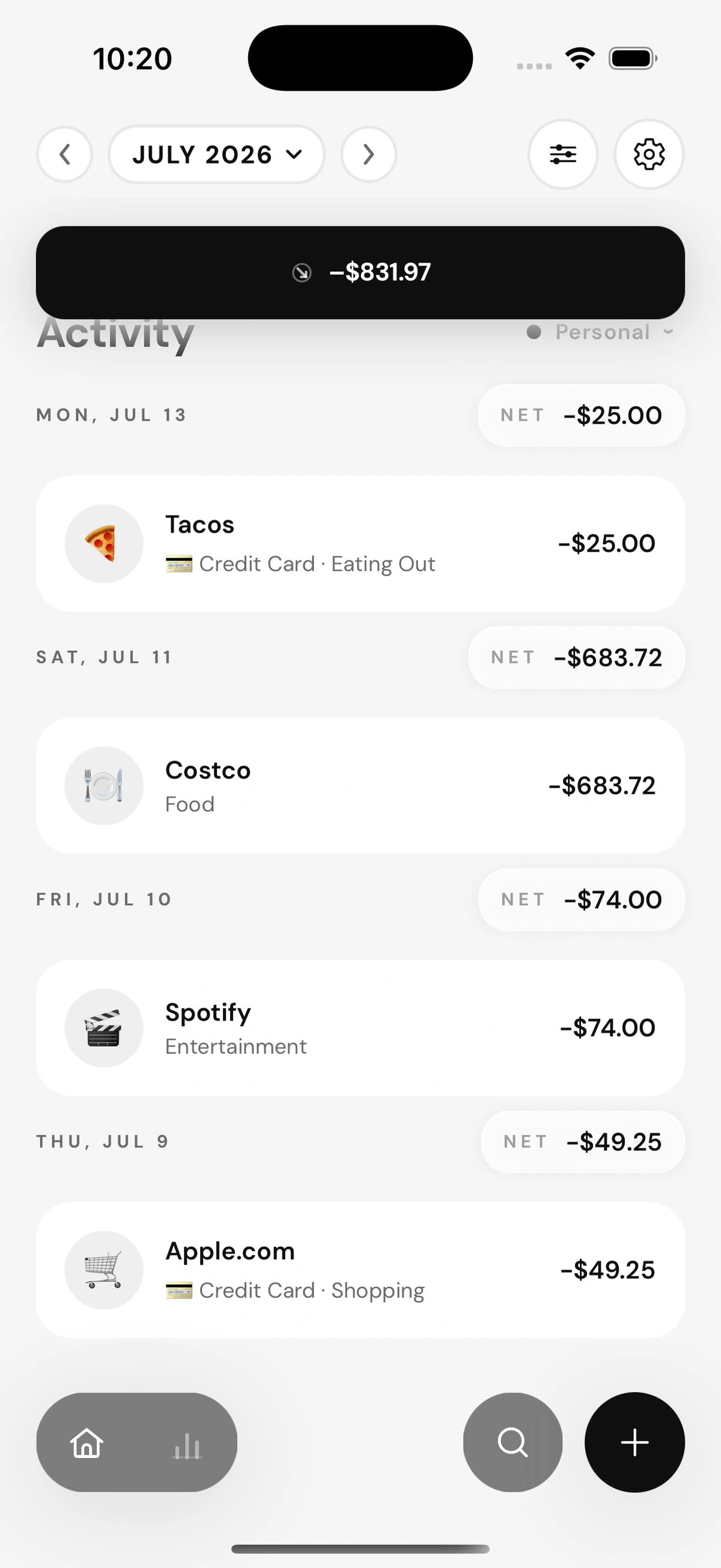
02 · Activity
Snap a screenshot of your bank app and AI files the rest. Day by day, grouped and searchable the moment you think of it.
AI photo import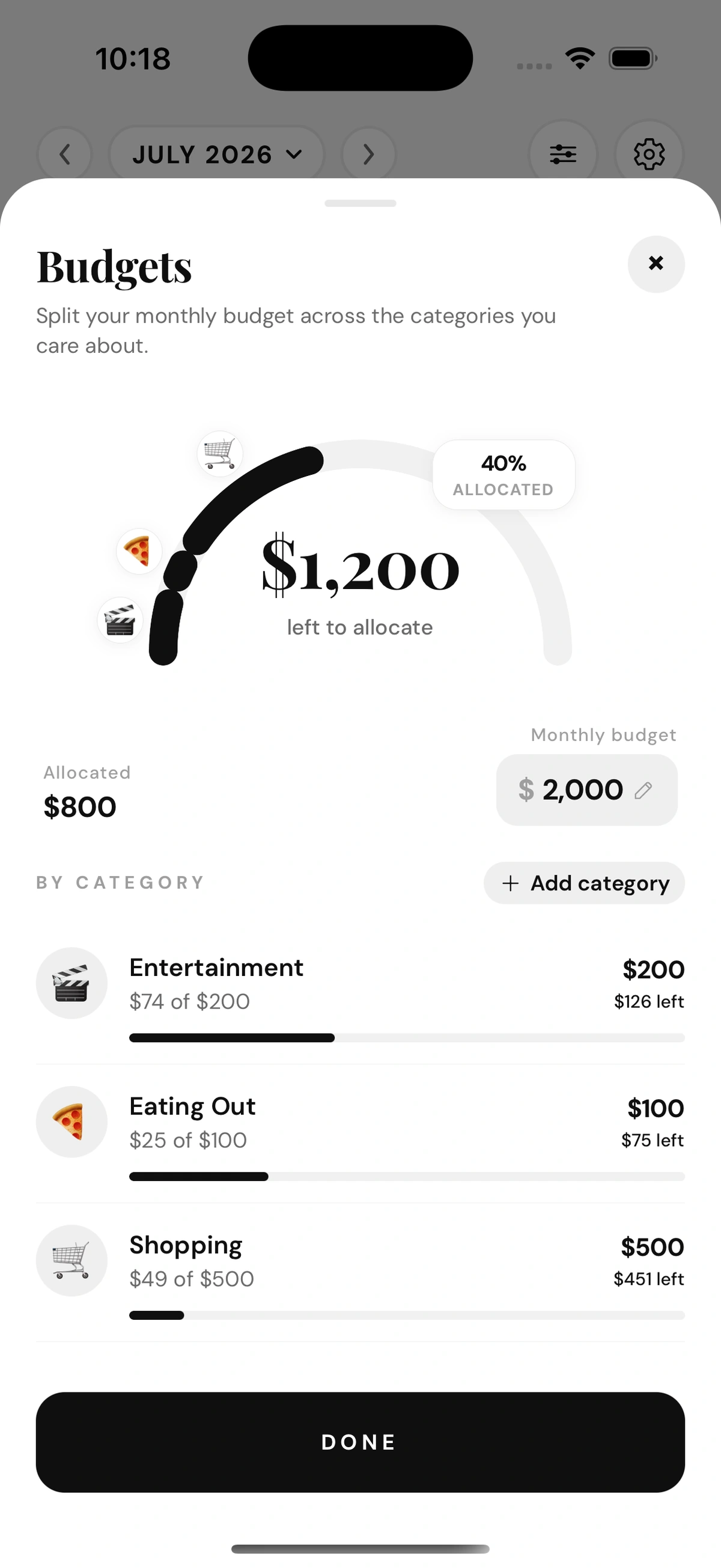
03 · Budgets
Give every category its own allowance. Wallia paces you through the month and quietly handles the recurring stuff.
Categorized budgets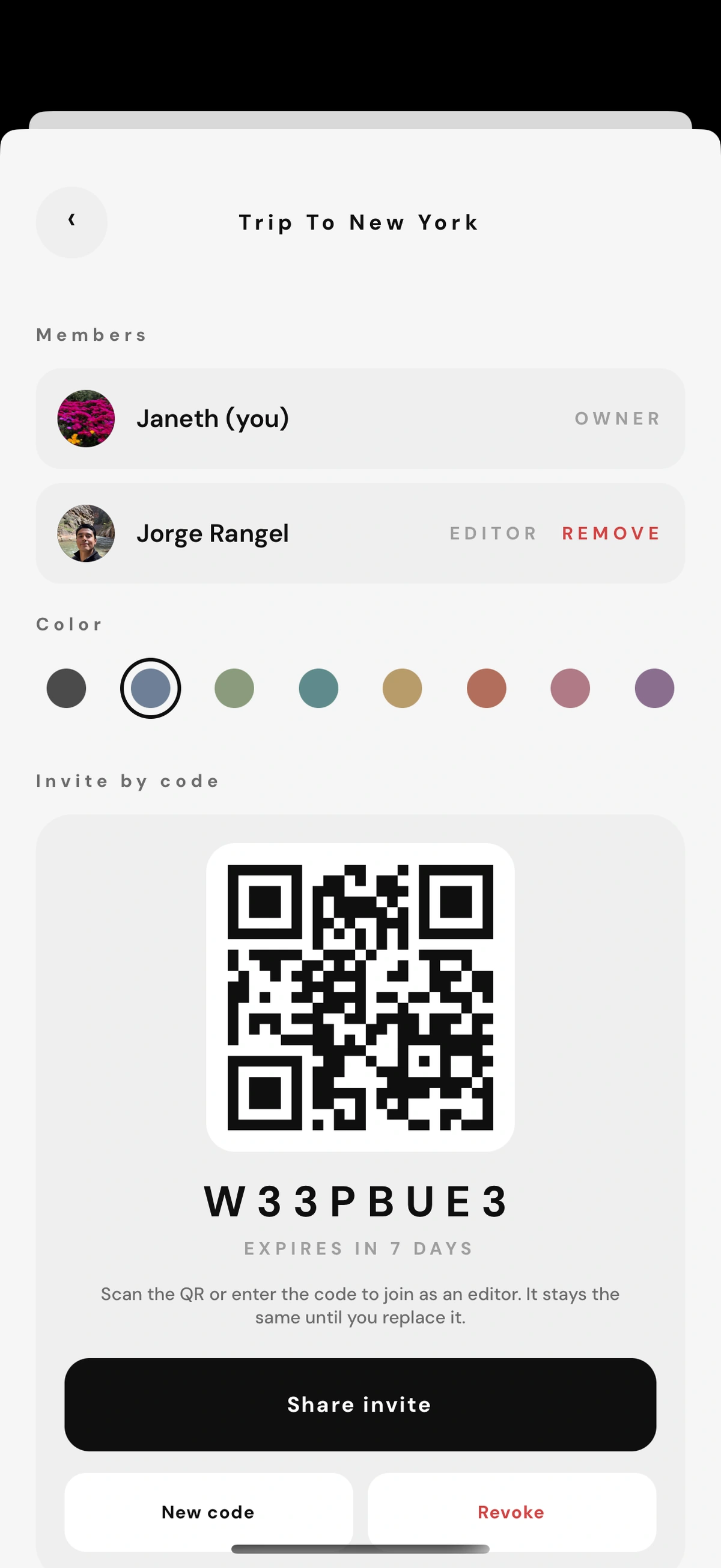
04 · Shared lists
Open a list for your home, a trip, or your partner. Everyone you invite adds expenses alongside you, and every entry shows up on their phones instantly.
Synced in real timeCapabilities
Split a trip, a home, or day-to-day life. Everyone adds expenses to one list and it syncs to every phone instantly.
Photograph a receipt or import a bank screenshot. Wallia reads every line and drafts the entries for you.
Transactions log themselves the moment you tap to pay.
Say what you spent and Wallia logs it, categorized, in seconds.
Rent, subscriptions and payroll are scheduled once and tracked forever.
Find any transaction in milliseconds, from anywhere in the app.
Your data is yours. Bring it in or take it out with one tap.
A gentle nudge when a budget needs you, and silence when it doesn't.
Trends
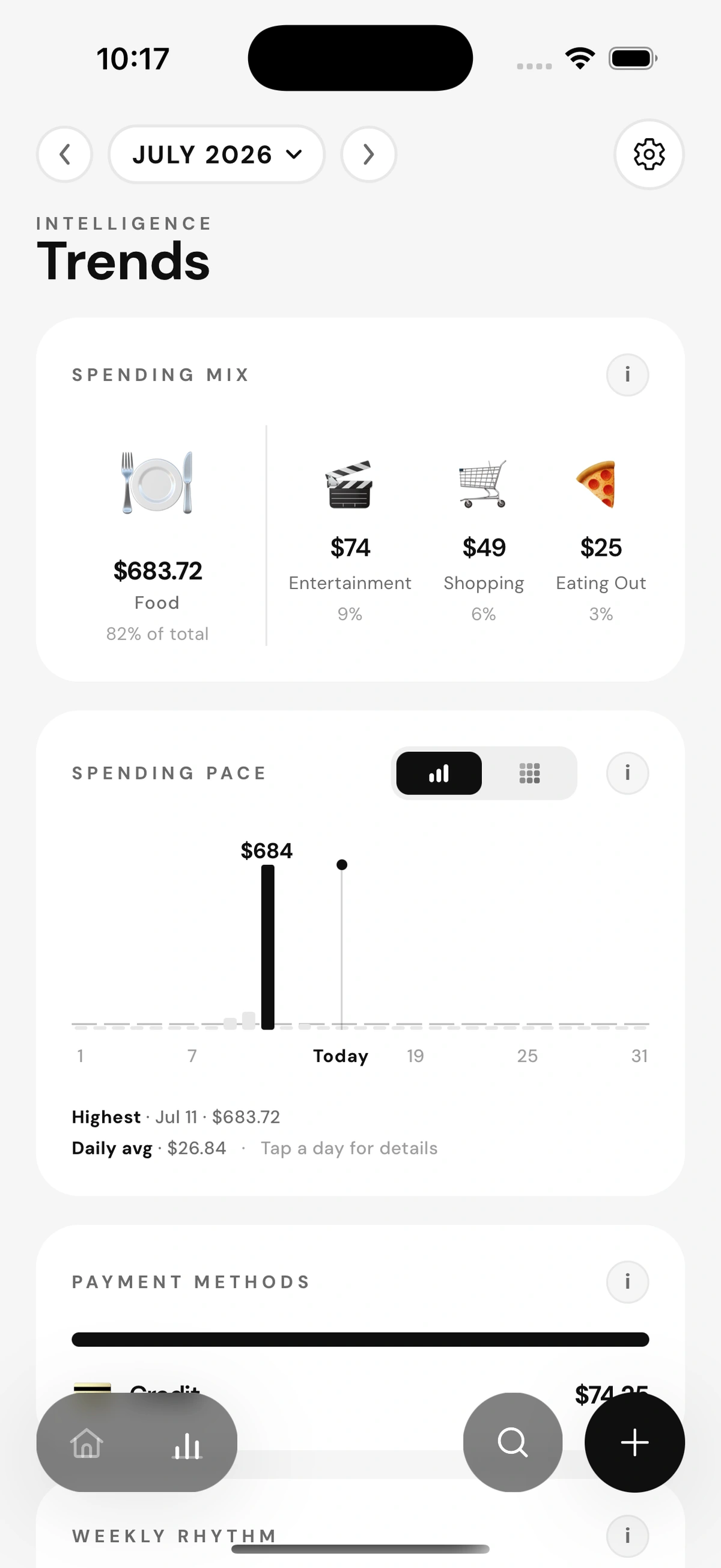
Weekly rhythms, category pace and month-over-month shifts, rendered as calm, readable charts instead of dashboards that shout.
Explore trendsSpending pace
Last 12 weeks
Get the app
Wallia is available now on the App Store. Bring quiet precision to your money today.
Available now on the App Store.